
Download SortPlaces – Free Firefox Bookmark Organizer Tool
Overview
If you spend hours scrolling through a chaotic list of Firefox bookmarks, you’re not alone. Over time, even the most disciplined users end up with a tangled web of links, duplicate entries, and misplaced folders. SortPlaces is a dedicated Firefox add‑on designed to bring order back to your browsing life.
By offering a straightforward interface for sorting, filtering, and automatically maintaining your bookmarks, SortPlaces eliminates the need for manual re‑arrangement after every browsing session. The add‑on lives in the Firefox toolbar and opens an Options window where you can fine‑tune sorting preferences. Whether you want to arrange the Menu, Toolbar, or Unfiled bookmarks by date added, name, or even custom criteria, SortPlaces handles it with a few clicks.
The tool also supports automatic sorting on startup, exclusion of specific folders, and a set of visual icons that give quick access to the configuration panel. Although the icons themselves are modest—essentially shortcuts to the Options dialog—they still provide a clean entry point for users who prefer not to dive into the Firefox add‑on manager each time. The latest update introduces a simplified Chinese locale and resolves a handful of minor bugs that previously affected sorting stability.
In short, SortPlaces is a free, secure, and lightweight solution that transforms a messy bookmark bar into a well‑structured, searchable library—perfect for professionals, students, and casual browsers alike.
Key Features of SortPlaces
- Multi‑Level Sorting: Choose primary and secondary sort criteria (e.g., date added → name) for each bookmark section.
- Automatic Sorting: Enable auto‑sort on Firefox launch to keep bookmarks perpetually organized.
- Section‑Specific Controls: Separate settings for Menu, Toolbar, and Unfiled bookmarks, each with its own tab.
- Folder Inclusion/Exclusion: Decide whether to sort inside folders or keep them untouched.
- Customizable Icons: Show or hide SortPlaces icons in the toolbar for a cleaner UI.
- Locale Support: Added Simplified Chinese interface; future updates promise more language options.
- Lightweight Design: Minimal memory footprint ensures Firefox remains fast.
- Free & Open Source: No hidden fees; the add‑on is maintained by a community of bookmark enthusiasts.
- Secure Updates: Automatic update checks via Mozilla’s add‑on repository keep the tool safe.
These features work together to provide a seamless experience. For example, you can configure SortPlaces to sort your Toolbar bookmarks by the date they were added, then alphabetically by name, while leaving your Menu bookmarks untouched. The automatic sorting option is particularly handy for users who frequently import bookmarks from other browsers or devices; the add‑on will instantly reorganize the new entries according to your preset rules.
Because SortPlaces lives within Firefox, it inherits the browser’s security model, meaning no external executables are required and the extension cannot access files outside the browser profile. This makes it a trustworthy choice for privacy‑conscious users. Additionally, the modular design means future updates can introduce new sort criteria—such as URL length or visit frequency—without overhauling the core UI.
Installation & Usage Instructions
Step‑by‑Step Installation
- Open Firefox and navigate to the SortPlaces download page on Mozilla’s Add‑ons site.
- Click the Add to Firefox button. A confirmation dialog appears—select Add to grant the required permissions.
- After installation, a small SortPlaces icon appears on the toolbar (you can hide it later via the Options window).
- Restart Firefox to ensure the add‑on loads correctly.
Configuring Your First Sort
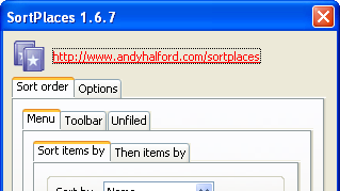
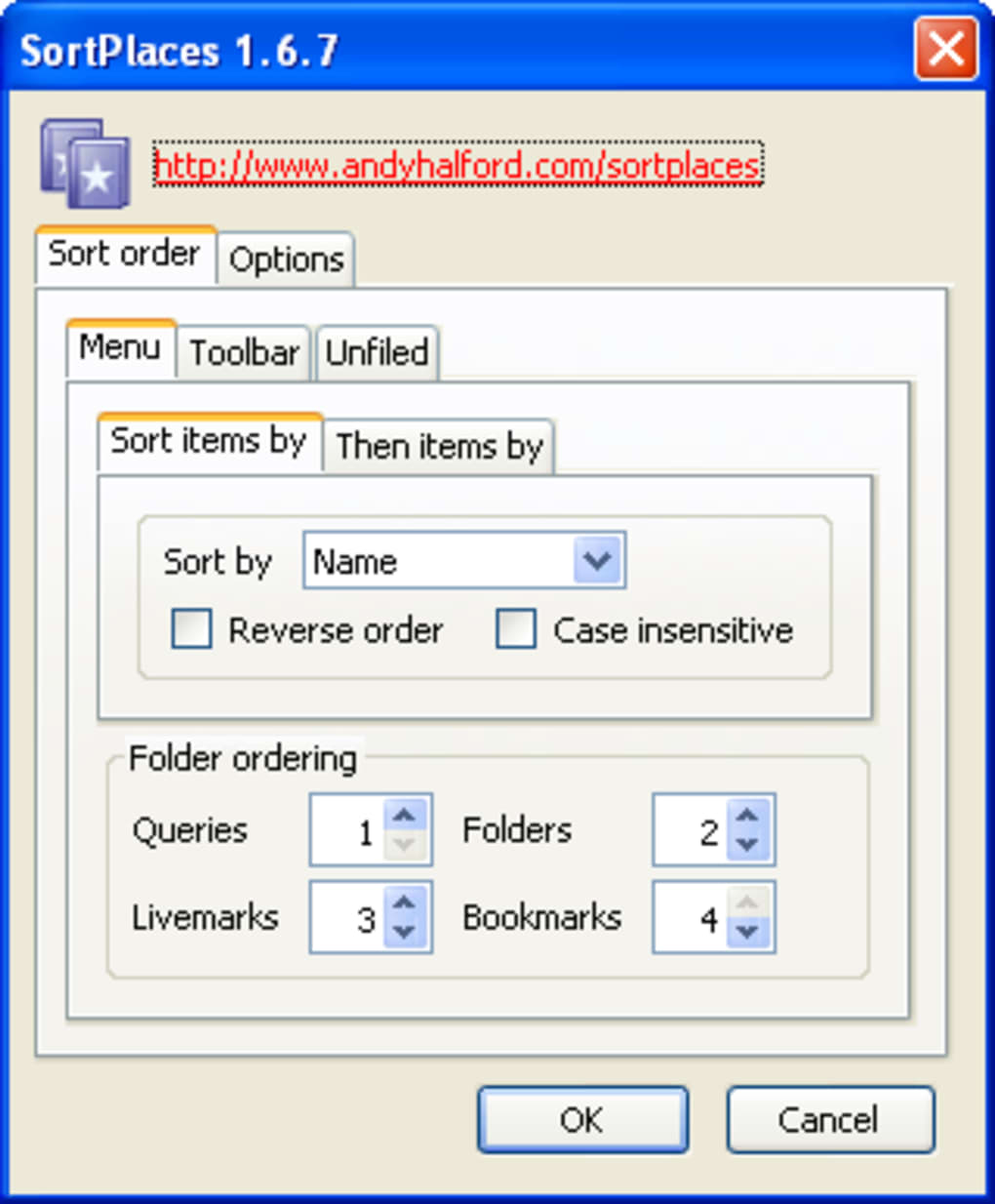
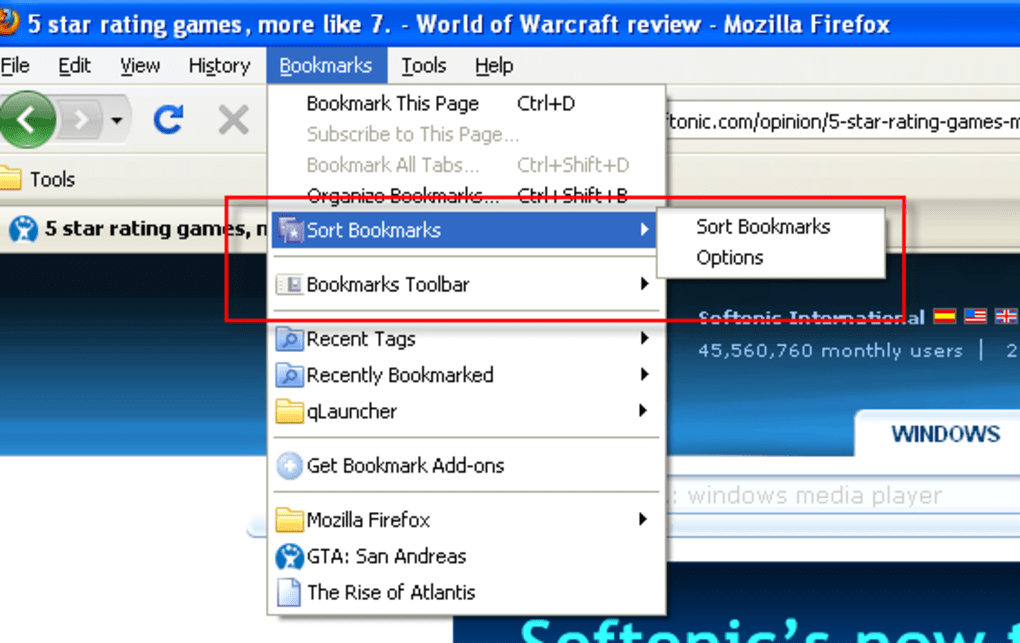
Once installed, click the SortPlaces icon or go to Tools → Add‑ons → Extensions → SortPlaces → Options. The Options window opens with two main tabs: Sort order and Options.
- Sort order: Choose the section you want to sort (Menu, Toolbar, Unfiled). Use the drop‑down menus to set a primary sort field (e.g., Date Added) and a secondary field (e.g., Name). You can also decide whether sorting should be ascending or descending.
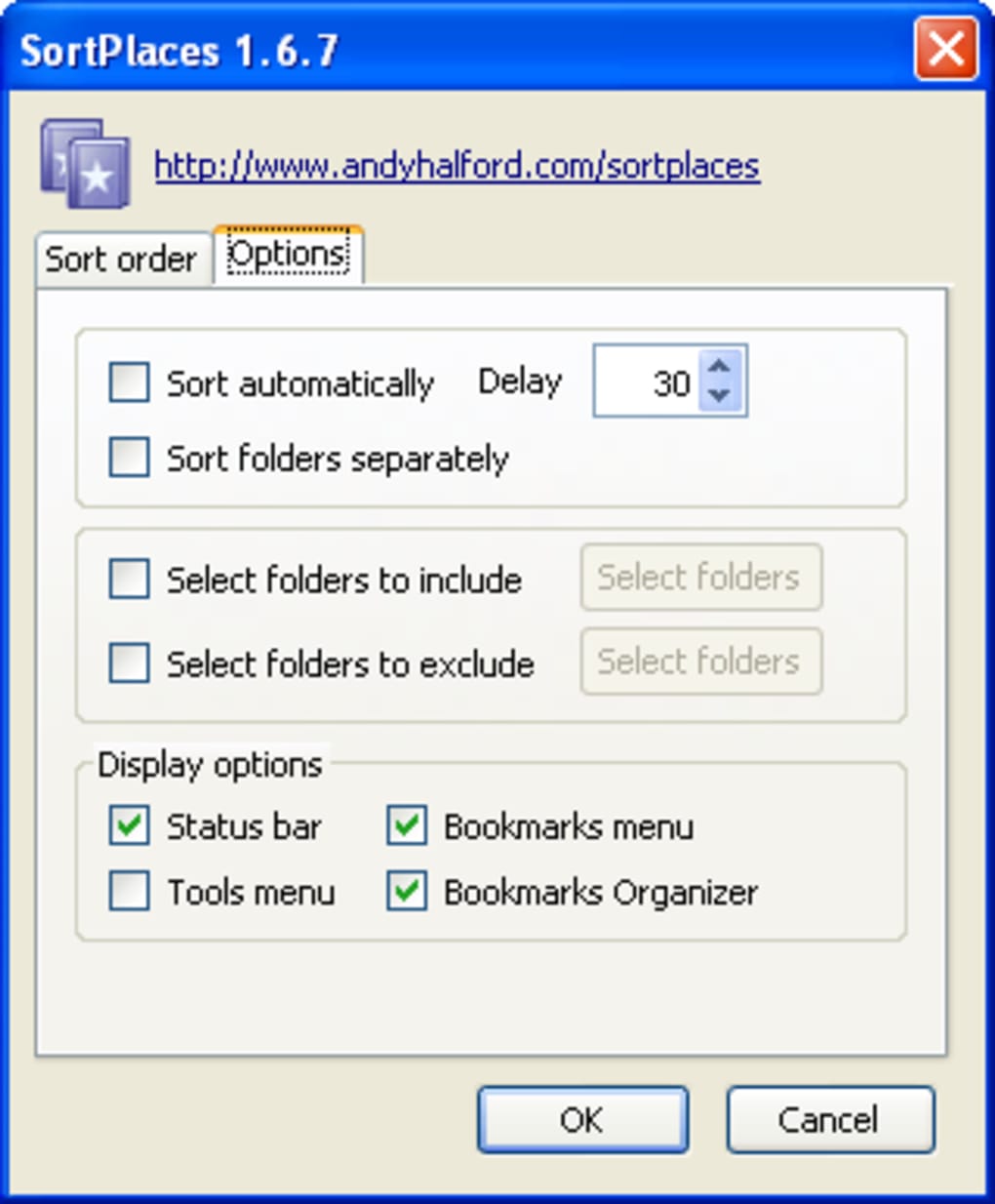
- Options: Toggle Automatic sorting on startup if you want your bookmarks to be reorganized each time Firefox launches. Use the Include folders checkbox to let SortPlaces reorder bookmarks inside folders, or leave it unchecked to keep folder structures intact.
Running the Sort
After configuring your preferences, click the Sort Now button at the bottom of the Options window. SortPlaces will instantly reorder the selected bookmark section according to your criteria. A brief status message confirms completion. If you enable automatic sorting, this process repeats every time Firefox starts, meaning you never have to manually re‑sort again. For power users, the “Folder ordering” setting lets you define whether folders themselves are sorted alphabetically or left in their original order—a feature explained in detail on the SortPlaces support page.
Troubleshooting Common Issues
Should you encounter unexpected behavior—such as duplicate entries or missing icons—try the following: (1) Ensure you are running the latest version of Firefox; (2) Disable any conflicting bookmark managers; (3) Visit the SortPlaces Wiki for a list of known bugs and their fixes. Because SortPlaces is regularly updated via Mozilla’s repository, most problems are resolved quickly.
Compatibility, Pros & Cons, and Professional Review
SortPlaces is a browser‑based extension, meaning it works on any operating system that supports the Firefox browser. This includes Windows 10/11, macOS Catalina and later, Linux distributions (Ubuntu, Fedora, etc.), and even Firefox for Android and iOS (though the mobile UI offers limited options). As long as your Firefox version is 78.0 or newer, SortPlaces will install without issue.
Pros
- Free and open‑source—no hidden costs.
- Lightweight, with negligible impact on browser performance.
- Highly customizable sorting rules for different bookmark sections.
- Automatic sorting keeps your library tidy without manual effort.
- Supports multiple languages, including a newly added Simplified Chinese locale.
Cons
- Toolbar icons are purely functional and do not provide direct one‑click actions.
- Folder ordering option is not self‑explanatory; users must consult documentation.
- No built‑in backup/restore feature—users must rely on Firefox’s native bookmark sync.
- Limited visual feedback during large‑scale sorts; progress bar is absent.
Review Summary: SortPlaces delivers exactly what its name promises—a reliable, free tool that brings order to chaotic Firefox bookmarks. While the UI could benefit from richer visual cues and clearer explanations of advanced options, the core functionality is rock‑solid. For anyone who relies heavily on bookmarks for research, work, or personal browsing, SortPlaces is a must‑install add‑on that saves time and reduces frustration.
Frequently Asked Questions
Can SortPlaces sort bookmarks on mobile Firefox?
Yes, SortPlaces works on Firefox for Android and iOS, but the Options UI is simplified. You can still set primary and secondary sort fields, though some advanced features like automatic startup sorting are unavailable on mobile platforms.
Is there a way to back up my bookmarks before sorting?
SortPlaces itself does not provide a backup feature, but Firefox includes a built‑in export option. Before running a large sort, go to Bookmarks → Show All → Import & Export → Export Bookmarks to HTML to create a safety copy.
Will SortPlaces affect my synced bookmarks across devices?
Yes. After sorting, the changes are saved to your local Firefox profile and will be uploaded to Mozilla’s Sync service during the next sync cycle, updating bookmarks on all connected devices.
How often is SortPlaces updated?
Updates are released roughly every 3–4 months, aligning with major Firefox releases. The add‑on checks for updates automatically through Mozilla’s add‑on repository, ensuring you always have the latest bug fixes and features.
Is SortPlaces safe and free from malware?
Absolutely. SortPlaces is hosted on Mozilla’s official Add‑ons site, reviewed for security compliance, and distributed as signed code. It does not collect personal data or install external executables.
Conclusion & Call to Action
In the world of digital clutter, a well‑organized bookmark library can boost productivity and reduce the mental load of searching for that critical link. SortPlaces offers a free, secure, and easy‑to‑use solution that integrates directly into Firefox, making it the ideal tool for anyone who wants to keep their browsing environment tidy. With multi‑level sorting, automatic updates, and cross‑platform compatibility, the add‑on meets the needs of both casual users and power professionals. Don’t let a messy bookmark bar slow you down—download SortPlaces today, configure your preferred sort order, and enjoy a cleaner, faster browsing experience.
Click here to download SortPlaces for free and take the first step toward a more organized web.







